| AbleComm: Panasonic
phone systems & phones connecting your phone system © 2004 AbleComm, Inc. All Rights Reserved. installne.htm 1/25/04 Email Newsletter AbleComm.com Home AbleComm.info Home Call toll-free, 1 888 ABLE 999 INSTALLATION SUPPLIES |
|
| AbleComm: Panasonic
phone systems & phones connecting your phone system © 2004 AbleComm, Inc. All Rights Reserved. installne.htm 1/25/04 Email Newsletter AbleComm.com Home AbleComm.info Home Call toll-free, 1 888 ABLE 999 INSTALLATION SUPPLIES |
|
 Most of our online clients have installed their own phone systems. Installation and programming are pretty simple: if you're comfortable with computers and screwdrivers, you should do OK. The wiring is no more difficult than ordinary home phone jacks. There are many programming options, but you can even use your phone system right-out-of-the-box with no programming at all, which is better than a lot of TVs and VCRs. Voice Processing systems DO require programming, with a PC. Some of our clients had electrical contractors, audio system installers, phone guys, alarm guys or handy friends do some or all of the work. If you need a professional installer, we'll try to recommend someone; and we'll be glad to provide free tech support via phone, fax, or Email. |
| |
|
|
|||||||||||||||||||||||||||
|
|
|||||||||||||||||||||||||||
|
|
||||||||||||||||||||||||||
|
|
|
|
|
|
|
Panasonic phones don't need four pairs, but it's nice to have extra wire in the walls, and the cost of extra wire is insignificant compared to the price of opening up walls to add more wire later. The KX-T7130 and KX-T7135 phones requires three pairs of wire for off-hook call announcing when connected to an analog or digital 1232 control unit. Other current analog phones and control units use two pairs of wire. Digital phones can work on one pair of wires, but need a second pair for the eXtra Device Port on the back of the phone. It's nice to have spare wire for additional devices later on, or to compensate for wire damaged by plumbers or squirrels. If you are running new wire, we recommend 4-, or 6-pair 24 gauge to each phone location. Wire is cheap to buy. Installing more wire later on is not cheap, and can be very messy. You can buy wire locally or from us.
|
|||
|
|
|||
| GREAT IDEA from Russia | |||
|
This photo shows an installation by Andrey Andreanov, a computer
engineer, Website designer, and Panasonic phone system installer in Moscow. Andrey has the
cables exiting from the top, where they will stay out of the way when the
1232 front panel is opened. For more photos of this installation, an elaborate supermarket system with two D1232s in a relay rack and 8 car batteries for backup power, go to Moscow.
|
|||
|
|
|||
|
In addition to standard jacks in various colors, we can also provide jacks to match Leviton "Decora" outlets and switches; and plates that hold up to six jacks. Click to order jacks. Click to learn more about wire & jacks |
|||
|
|
|||
| Analog phones CAN be used with digital control units, but digital phones CAN'T be used with the analog control units. | |||
|
|
|||
|
|||
|
|
|||
|
If you have a loop-through arrangement, you can change some of the connections to reconfigure one or more jacks as home-runs. |
|||
|
|
|||
|
|||
|
|
|||
| 108 108 108 You can give several jacks the same extension number, and plug-in several single-line phones plus one multi-line phone, but they won't be able to access different lines at one time. | |||
|
|
|||
|
Another option is to have the XDP circuit live within the phone, but also working in another location. In residential systems, I recommend installing two jacks in each kid's bedroom -- on at the bed and one at the desk. Even if they are wired in parallel with the same extension number(s), you can use a digital phone at one location, and a modem, cordless, or answerer in the other spot. |
|||
|
|
|
|
||
|
|
||
|
||
|
|
||
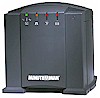 If you want full system functions during a power
failure, you will need an external
battery back-up system
.Generally, the more you pay for the UPS, the longer your system will
work without normal power. If you want full system functions during a power
failure, you will need an external
battery back-up system
.Generally, the more you pay for the UPS, the longer your system will
work without normal power. |
||
|
|
||
|
The digital 816 and 1232 can be programmed remotely via a modem. You can connect a standard modem to the serial port, or use special Panasonic modems. The analog 308, 616 and 624 can't be programmed by PC, either locally or remotely. The digital 308 can be programmed by a PC, but not remotely. |
||
|
|
||
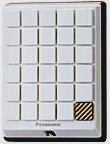 The door intercom requires one pair of
wires. You can re-use existing doorbell wire if you remove the
button, disconnect the transformer, and splice some wires in the chime housing. The door
intercom circuit card operates one or two door speakers. With the KX-TD160 or KX-T30866
accessory circuit modules, you can dial a code on a phone, or press a programmed button,
to unlock doors equipped with electric door strikes, or perform other
remote control functions such as turning on lights or music. The door intercom requires one pair of
wires. You can re-use existing doorbell wire if you remove the
button, disconnect the transformer, and splice some wires in the chime housing. The door
intercom circuit card operates one or two door speakers. With the KX-TD160 or KX-T30866
accessory circuit modules, you can dial a code on a phone, or press a programmed button,
to unlock doors equipped with electric door strikes, or perform other
remote control functions such as turning on lights or music. |
||
|
|
|
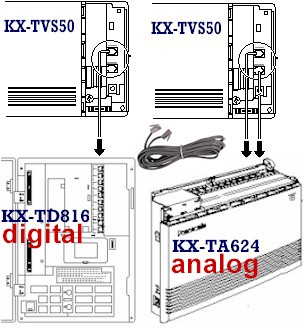
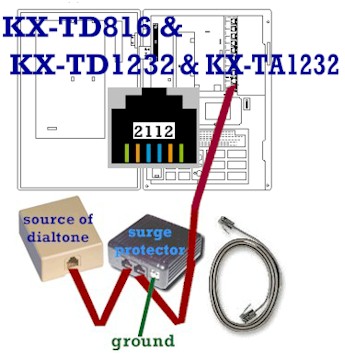
Connections are made via jacks inside the voice processor cabinet. When connected to a Panasonic KX-TD digital phone system or the KX-TA1232, one phone cord is capable of carrying two simultaneous conversations between the voice processor and phone system. This technology makes efficient use of your phone system's resources: one phone system port can handle two voice processor ports. With a Panasonic analog KX-TA624 you need one phone cord for each port in the voice processor; i.e. two cords for a KX-TVS50 in a KX-TA624. Make sure you make connections with a phone cord that has a DATA PAIR -- the yellow and black wires in a normal cord and phone jack. A cord with just two wires in the center positions will NOT work. |
|
|
 |
|
| Call us toll-free, 1 888 ABLE 999 | |
016
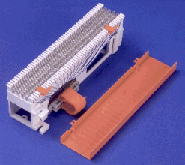

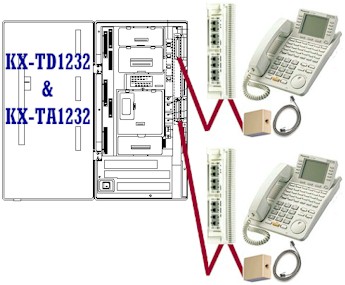
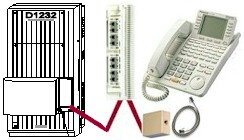 The
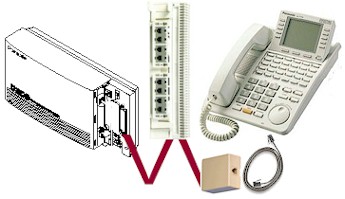
expansion modules that add phone capacity to the KX-TD816,
KX-TD1232 and KX-TA1232 also have Amphenol-type connectors, and
work well with our VersaBlock and TailBlock.
The
expansion modules that add phone capacity to the KX-TD816,
KX-TD1232 and KX-TA1232 also have Amphenol-type connectors, and
work well with our VersaBlock and TailBlock. 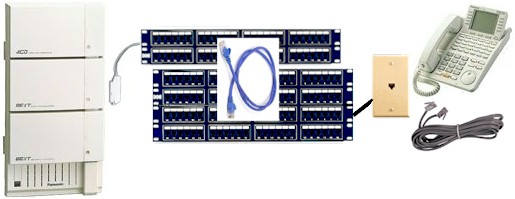 You
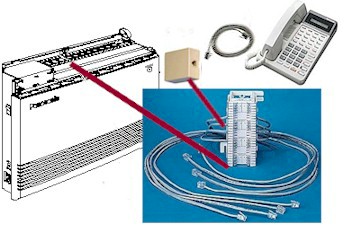
can use patch panels instead of (or in addition to) punchdown
blocks. You can
You
can use patch panels instead of (or in addition to) punchdown
blocks. You can
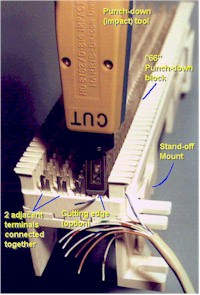 The
great photo at the left is from Mark Henrichs. For terrific advice on installing wiring for
phones, video, audio and more, see his
The
great photo at the left is from Mark Henrichs. For terrific advice on installing wiring for
phones, video, audio and more, see his

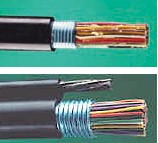 If you need to install a phone in an adjacent
building, such as a garage, we recommend that you use cable designed for burial in the
ground. It's armored to protect it from sharp-toothed critters, and filled with
anti-moisture gel. We also have "figure-8" cable, for suspension in the air
from building to building, or pole to pole.
If you need to install a phone in an adjacent
building, such as a garage, we recommend that you use cable designed for burial in the
ground. It's armored to protect it from sharp-toothed critters, and filled with
anti-moisture gel. We also have "figure-8" cable, for suspension in the air
from building to building, or pole to pole.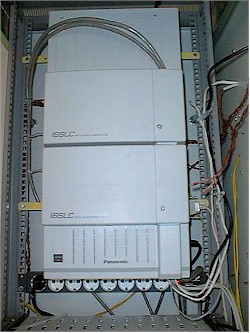
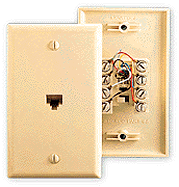
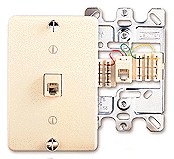
 We will give you one FREE JACK for each "system"
phone ordered for a Do-It-Yourself installation -- just ask. Let us know if
you want a wall jack, or either a surface-mount or flush-mount jack for a
table phone. (Any of the phones made for our Panasonic phone systems, except
the KX-T7880 and 7885 cordless, may be used on a vertical or horizontal
surface. The 7880 and 7885 can't be wall-mounted.)
We will give you one FREE JACK for each "system"
phone ordered for a Do-It-Yourself installation -- just ask. Let us know if
you want a wall jack, or either a surface-mount or flush-mount jack for a
table phone. (Any of the phones made for our Panasonic phone systems, except
the KX-T7880 and 7885 cordless, may be used on a vertical or horizontal
surface. The 7880 and 7885 can't be wall-mounted.)
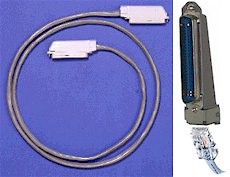 If you are replacing an older "electromechanical"
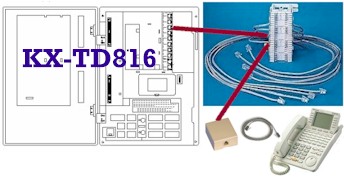
phone system that uses 25-pair cable, we can provide
If you are replacing an older "electromechanical"
phone system that uses 25-pair cable, we can provide
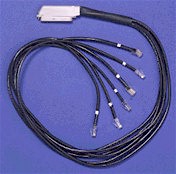 An AbleComm
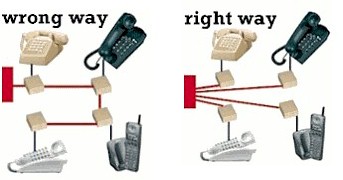 Whether you are installing new wire or re-using existing
wire, it must be in a "home-run" configuration (what computer
guys call a "star topography"), with a direct path from each phone jack to the
control unit. In residential construction, "loop-through" wiring is more common,
where the circuit passes from one jack to another and another.
Whether you are installing new wire or re-using existing
wire, it must be in a "home-run" configuration (what computer
guys call a "star topography"), with a direct path from each phone jack to the
control unit. In residential construction, "loop-through" wiring is more common,
where the circuit passes from one jack to another and another. 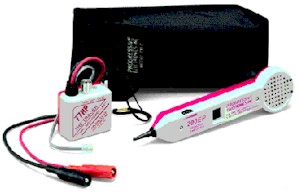 A
A


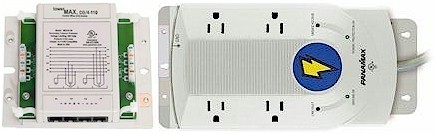
 In case of a power failure, you can plug single-line
phones into several jacks. The jack for the lowest intercom number will work on your first
line, the next jack on your second line, etc.
In case of a power failure, you can plug single-line
phones into several jacks. The jack for the lowest intercom number will work on your first
line, the next jack on your second line, etc.
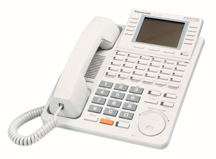 All of our Panasonic phone systems can be programmed
with a display phone, so you should order at least one.
All of our Panasonic phone systems can be programmed
with a display phone, so you should order at least one. 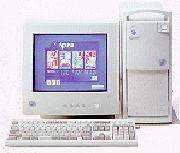 The digital control units can be programmed
with an IBM-compatible PC. You'll need our
The digital control units can be programmed
with an IBM-compatible PC. You'll need our